Don't Forget To Feed The Fish (Click on image)

Friday, May 10, 2013

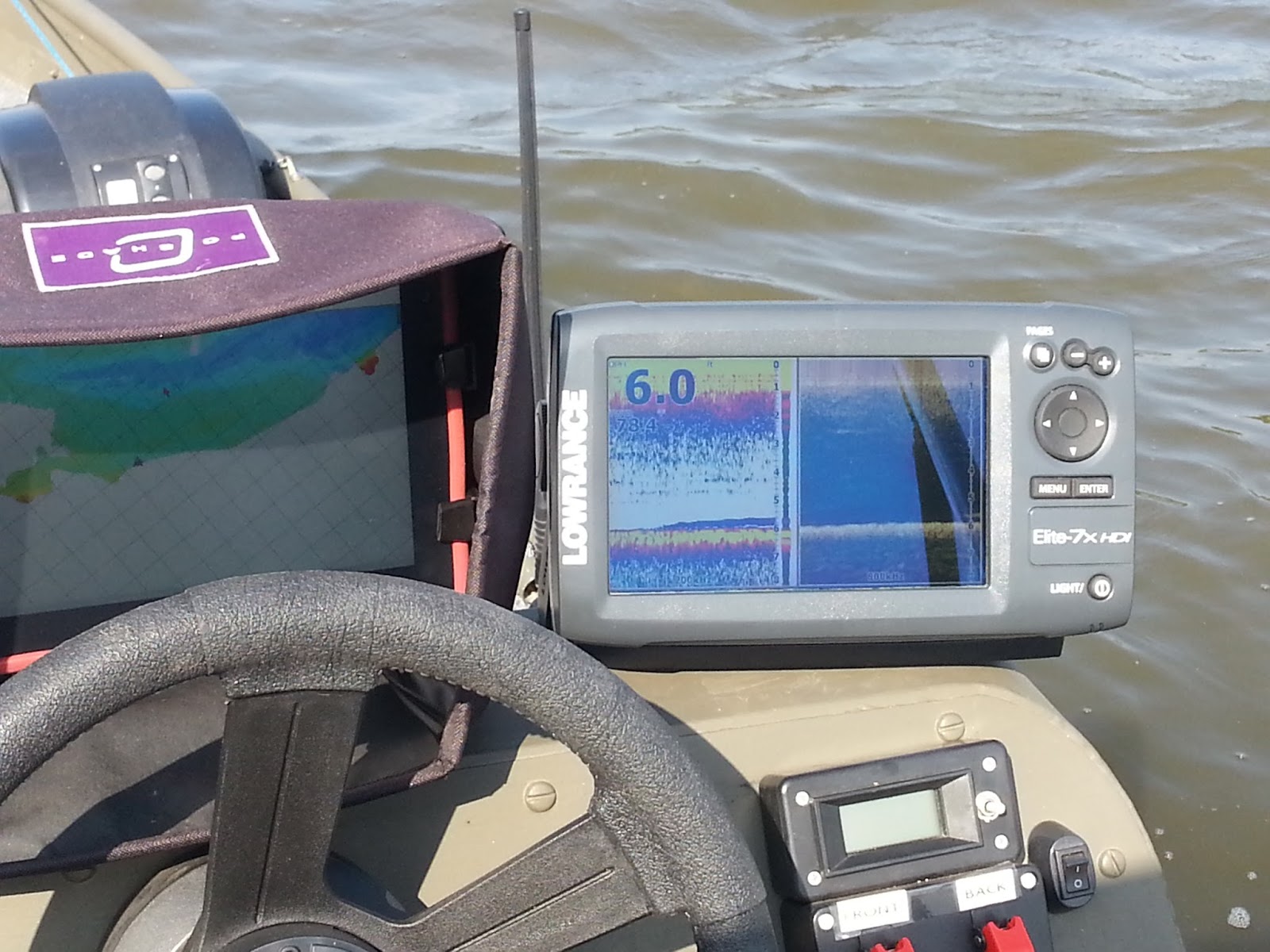
The Google Nexus 7 Netbook2chartplotter Extension

What can I say about the Nexus 7 that hasn't already been said? This thing is freaking AWESOME and I'd take it over any of the iPaid( too much) line of dumbed down closed proprietary  hardware/software without so much as a working USB port any day of the week ... twice on Sunday's. When Google spec'ed this device for Asus to build they got it right. Every other tablet I looked at had one or more limitations, something I needed but stripped out to keep the costs down (Of course Google being willing to go out on a limb and produce a $300-350 tablet and sell it for 100 bucks less, basically cost, had a lot to do with that) Frankly I expect the new version coming out late this summer to be a hardware downgrade for Power Users like me but it'll probably get better battery life which the average consumer who's mainly interested in streaming multimedia or updating his Facebook page on the run will see as an improvement.

The absolute hands down best part of the Nexus 7 is it is so Open, unlocking and rooting it was trivial as was adding a better recovery bootstrap/bootloader. The Source Code for the OS as well as the Linux Kernel is all freely available so there are literally dozens of well working alternatives for both out there and flashing them with a ROM Manager (I used GooManager) is as easy and painfree as it gets. Do you want to improve your iPad's OS and Kernel? Too bad for you because you are forbidden by the Apple Police to do anything to their software and hardware, you don't own any of it, you rent it. Google even spec'ed the back case cover to be easily removable multiple times without breaking the tabs like every other throwaway piece of Consumer Crud (including the iPod, iPhone, and iPad) out there today. Swapping out the battery could be done in under 2 minutes without hardly trying (In an iPad it takes half a day's labor and a heatgun just to change the freaking battery .... sheesh)  In other words Google not only gave us permission to hack this thing they WANTED us to hack this thing and find new uses even they never dreamed of.

The Nexus 7 has an amazing array of sensors making it effectively a 'scientific lab in a box' and with a working USB port and PL2303 USB to serial drivers already compiled in the kernel means I can use it with my existing (mostly homebrew) serial port based test equipment and radios. I can even use my Netbook2Chartplotter's USB to serial adapter that reads my NMEA Depth Sentence serial output from my fishfinder and plug it into the USB port of the Nexus 7 so it's available to mapping programs on the Nexus 7 that use the "7"'s built-in GPS, something that I believe I'm the first person to do. Unfortunately since there is no mapping software out there to leverage this ability in 'Real Time' (One of the problems with being a first) the best I can do so far (and mind you I've only had this for a little over a week) is use a Linux Terminal program to log the NMEA Depth Sentence along with the GPS NMEA Position Sentences to a file for later evaluation in one of my mapping programs like Dr Depth or OziExplorer. 

Until such software comes out I'll be using the Nexus in a different way as an extension to my Netbook2chartplotter system. What's I've done is set up the Netbook2chartplotter to be a WiFi Hotspot which will allow me to share it's Cellular Data Modem (The Gobi 1000 I've written about earlier in this blog) so I'll have internet access. I also have a VNC Server on the Netbook2chartplotter so I can 'VNC' into the Chartplotter from the Nexus 7 and use the '7' to control the chartplotter or just mirror the screen so I can see it on the '7' from anywhere within range of the Chartplotter's WiFi Hotspot. This will allow me to put a mount for the '7' up front so I can see the maps when I am up front using the trolling motor and fishing from the front of the boat. I just ordered an OtterBox Defender Series Hybrid Case with Screen Protector before I blogged this and after I get it I'll start taking some pictures, sharing some of the software hacks I used to get the two units to communicate and share with each other and any useful software and tools I come across so stay tuned there should be a lot more to come especially after I can get out on the water. 

The '7' has the Android Blogger app and I'll be able to post 'on the water' from the boat which although is possible with the current setup it was too much of a hassle. Now I can leave the maps up or be actively mapping and post from the '7' using the Netbook2chartplotter's internet connection ....

Did I mention I was a Power User?

Read more...

Saturday, September 15, 2012

Environmental Degradation caused by bicycle bridge construction

UPDATE! Photos made in late October PROVING this bridge project is still WAAAYYYYY out of compliance with the Corps of Engineers Permit. It's both a boating hazard and an Environmental Hazard which is accelerating the silting in of the Harbor by impeding the flow causing silt and sediment to be dropped in front of the boat ramp     ... Unfortunately the Corps got scammed by the contractor who OBVIOUSLY Cherry Picked where they were putting the measuring stick. For cripes sakes don't any of these so-called Engineers owned a freaking Depth Finder?  Any fool with a $100 Depth Finder can see it's not correct in just a couple of passes ...

THIRD muffed removal of causeway

October 24 2012


Once again for comparison pre-construction Summer 2011:

October 24 2012 3D maps


Pre-construction 3D Summer 2011


The Army Corp of Engineers Nationwide Permit #14 permits the construction of bridge and associated causeway across the slough. It reads in part as follows:

Linear Transportation Projects. Activities required for the construction, expansion, modification, or improvement of linear transportation projects (e.g., roads, highways, railways, trails, airport runways, and taxiways) in waters of the United States. For linear transportation projects in non-tidal waters, the discharge cannot cause the loss of greater than 1/2-acre of waters of the United States. For linear transportation projects in tidal waters, the discharge cannot cause the loss of greater than 1/3-acre of waters of the United States. Any stream channel modification, including bank stabilization, is limited to the minimum necessary to construct or protect the linear transportation project; such modifications must be in the immediate vicinity of the project.

This NWP also authorizes temporary structures, fills, and work necessary to construct the linear transportation project. Appropriate measures must be taken to maintain normal downstream flows and minimize flooding to the maximum extent practicable, when temporary structures, work, and discharges, including cofferdams, are necessary for construction activities, access fills, or dewatering of construction sites. Temporary fills must consist of materials, and be placed in a manner, that will not be eroded by expected high flows. Temporary fills must be removed in their entirety and the affected areas returned to pre-construction elevations. The areas affected by temporary fills must be revegetated, as appropriate.

Obviously the City of Davenport and General Constructors, Inc. are still WAAYYYYY out of compliance with the Law .......


Just some maps for now ....

July 2012  (1st attempted removal of causeway)


Summer 2011 (Pre-construction)


 USACE docs


August 2012 (2nd attempted removal of causeway and current state)


Read more...

Friday, August 20, 2010

Conversion Details and Final Specs

The base unit is an Acer one AO531h netbook with WWAN modem and the 6 cell extended battery. This is the same unit sold with a data contract at AT&T although this particular unit was a refurb that most likely only had a bad webcam which is why they were returned to AT&T and Acer. So the basic specs are the same except for a few subtractions and additions.

Items Removed:

1. Webcam assembly
2. Keyboard (Which can be replaced if needed)
3.  Touchpad and controller (Like the keyboard it's not accessible in normal use)
4. VGA connector (Replaced with an SMA jack)
5. Ethernet connector  (Replaced with SMA jack

Items added:

1. Touchscreen Kit
2. Bluetooth transceiver (USB Bluetooth dongle stripped and mounted in the provided mount and hardwired to the Bluetooth Port on the motherboard)
3. Wireless Mouse receiver (Another stripped out USB dongle mounted where the touchpad controller used to be)
4. Antenna Jack (SMA) for GPS antennas
5. Antenna Jack (SMA) for Cellular WWAN modem
6. Memory upgraded to 2 GB
7. Windows 7 OS (Without a keyboard with the hardwired Fn key there was no way to control the backlight in XP even with the Tablet PC extensions so Win7 was my best option and properly set up seems just as fast as XP )
8. Power supply circuit modified to run off 12-13.8 VDC **without** battery installed, no noisy auto adapter needed lowering average power consumption to 10 watts or less
9. Four switches added to the front bezel, Power, Bluetooth, WWAN, WLAN wired in parallel with the existing switches which are all still functional


Outboard items mainly wired into my boat:

1. USB Hub in console
2. Rubber industrial grade USB keyboard in console
3. Serial to USB converter in console for serial NMEA depth output of the Garmin 300C fishfinder
4. GPS antenna(s)
5. Cellular 1900MHz Edge band antenna(s)
6 USB port mount in front of console
7. Tough Tray II and Ram Mount mounting hardware
8. PC Shade hood for better daylight visability of the LCD screen
9. Bluetooth headset for Voice Control

GPS related software:

1. Ozi Explorer v 3.95.5k
2. Map Merge for OziExplorer
3. Depths2Ozi
4. Fugawi Marine ENC v 4.5
5. Dr Depth v4.5


Next up some pictures of the unit in the boat and the boat electrical setup

Read more...

Thursday, August 19, 2010

Netbook To Chartplotter V 1.0

First a few pictures then I'll go into the final details


They don't make a touchscreen kit for this particular Acer One model (AO531h) and it is so slim there was really no place to put the touchscreen controller. Since the keyboard was essentially worthless now with the screen flipped like a Tablet PC I removed it and put the touchscreen controller in there. I got a 3-in-1 screen protector, microfiber cloth and mousepad to cushion the LCD screen and chassis when it's in the boat Ram Mount.


The Tough Tray II Ram Mount, wireless mouse and Bluetooth headset for voice control


I was able to just flip the screen and wiring to get it to convert to a Tablet PC for use in my boat without the battery but the battery would bind a bit on the LCD screen when fully closed stressing it so I had to remove a little unnecessary plastic and then covered with quality electrical tape (3M Temflex 1700)


For field GIS type of work like mapping a yet to be flooded lake they are building north of Davenport I can pop in the battery pack, flip the screen 180 degrees and add my custom Cellular data modem and GPS antennas (which I'll detail in a later post along with the antennas I've made for my boat) and I can walk the area and map out all the manmade and natural structure that will eventually be underwater. If I need to I can access Google Earth, Bing and other online map services or any other information I might need after I get into the field


Here's a couple of pics with the unit in the Ram Mount like how I use it in my boat. It's running OziExplorer and Depths2Ozi showing some depth readings I took on a photomap I made at the outlet end of the Lake Odessa wildlife preserve in late July when I couldn't get on the river due to a late season flood


That should be enough to chew on for one post, I'll detail the system in my next post and then have some pictures of the setup in the boat along with the boat's electrical/electronics package

Read more...

Tuesday, August 10, 2010

MAJOR UPDATES COMING SOON

Both projects have been completed since late June, I've just been too busy with other projects and trying to enjoy the summer (despite the record levels of rainfall and heat) to gather everything together and do an update. But since all this rain has kept me off the river lately I've had a chance to catch up and get my home improvement projects done.

Here's a couple of quick pictures of the netbook to chartplotter project,  the first is when I was roughing in the electrical system in my boat, the second picture is from late June on one of it's first trips out


I should have a bunch of pictures and details by the end of the weekend.  I'll stick mainly to the Netbook to Chartplotter but will throw in a few pics of the boat project since the two actually are part of one big project

Read more...

Monday, April 26, 2010

Update To Livewell Timer Circuit

A slight update to the livewell timer circuit. I changed the value and way I switched the On Time resistors. The other way it was 32 and 64 seconds, this way it will be 30 and 60 seconds. I couldn't split 150K because they don't make a 75K resistor and it didn't dawn on me until this morning to just put another 150K in parallel to get my 75K ohms. I also moved the motor on indicator LED so it lights when on Manual Fill as well as when the timer turns on. It's nice to have so you don't accidently leave it running when it's too noisy to hear it running. I add the same 680 ohm resistor and red LED to every switch on the panel as an indicator. I get both in bulk and from grab bags and it costs me about a nickel per switch to add them.


Read more...

Livewell Timer Circuit - Simple Recycle Timer

I updated my livewell timer design originally made in 2004 for my previous boat. I have yet to find another livewell timer circuit on the internet so I figured I'd put mine up on the blog. All the parts should be available at any Radio Shack. The circuit features a manual fill override, 30 or 60 second switched On Time and 1-8 Minutes infinitely variable Off Time. The 555 timer must be a CMOS low power version to get these long of delays and the relay should be rated at 5 amp or better. The motor is only rated ar 2 amp but it's an *inductive load* while relays are rated for a resistive load necessitating a higher amperage relay to keep from burning the contacts from inductive kickback. The main difference between the new circuit and the old one is the addition of a selectable on time so this circuit has been field tested and proved 100% reliable over the last 6 years.


On my last boat I also added a Pulse Width Modulator motor speed control to control the water flow/pressure. The smallest livewell pump available is 500 gallons per minute which is way overkill for smaller livewells. The spray head restricts it somewhat and the common solution is to insert a valve in the line and choke it down which wastes a lot of electricity. So a 50% duty cycle from the PWM will cut your amp hour usage nearly in half ( There are circuit loses keeping us from a full 50% savings) Again the circuit is simple and the parts available at any Radio Shack. (I don't get my parts there all that often but I like to design with Radio Shack available parts so I can repair a circuit ASAP, there is always a Radio Shack fairly close by) If I do decide I need it I'll go dig out the schematic and post it on the blog.

It'll probably be a week yet before I get back to the Netbook to Chartplotter, getting my new boat on the water is a priority (This project isn't much good without a boat to test it in). I did get a Ram Mount and their Tough Tray II universal netbook/tablet PC mount which will give me the ability to rotate the computer to the front where I can see it while operating the trolling motor. Right now I'm putting the finishing touches on the design of the electronics package and I'll start pulling the wires and doing the 'rough in' so I can get the floors in and start the painting process.

Read more...

About This Blog

This is a project to turn a Netbook into a touchscreen chartplotter with Internet access. Preliminary plans include enabling the internal GPS built into the modem, adding a touchscreen, turning it into a tablet style, adding Bluetooth and adding SMA jacks for external antennas for the 3G internet access and GPS. Other possible plans are adding an internal BroadCom Mini PCI-e HD Decoder and external USB HDTV tuner. Operating system enhancements will be added to take advantage of the touchscreen, in XP this will includes several apps ported over from XP Tablet PC, Vista, and Win7. I may also make a Ubantu Linux based OS

Labels

  © Blogger templates Newspaper III by Ourblogtemplates.com 2008

Back to TOP